Upcoming Start++ update
Over the last few days I’ve been amazed at the reception Start++ has been receiving from the Windows enthusiast community. Today it was even picked up on LifeHacker as download of the day! All the encouragement motivated me to begin looking at what more I could do to extend the Start++ experience. The current releases so far have used a pretty limited mechanism to “hook” into the Start menu on Vista. In fact, it’s not really a “hook” at all but rather taking advantage of the Start Menu’s built-in Run functionality through some clever use of shortcuts and pathing.
For the upcoming Start++ 0.5 release, I’ve gone back and built a much more sophisticated Start hook, that will allow for some much more robust functionality and eliminate the few edge cases where the current shortcuts can conflict (ie. not be the default action) with other shortcuts in your Start menu. It’s entirely done out-of-process, in .NET using a combination of standard windowing and automation APIs.
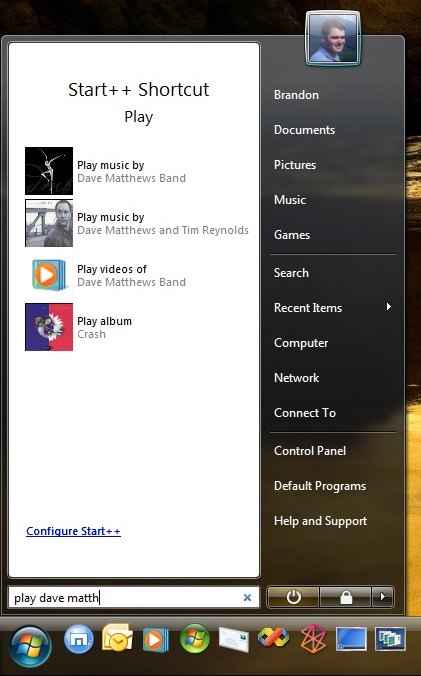
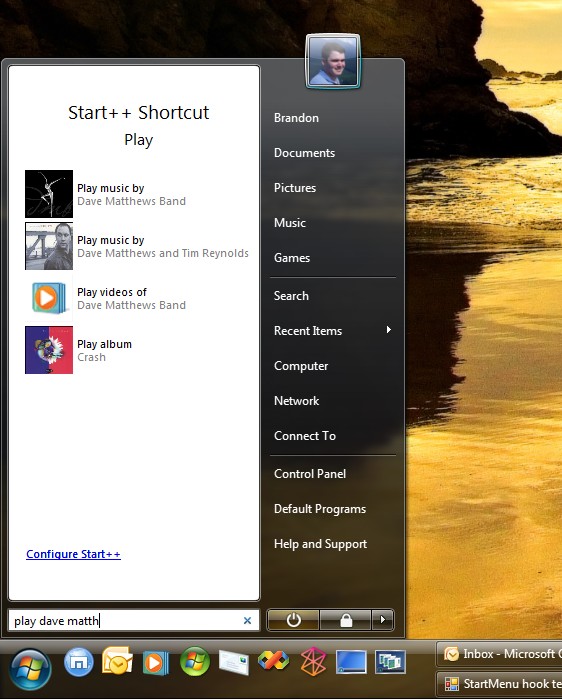
Truthfully, though, I think a picture is worth a lot more than words… Keep in mind this isn’t exactly how it will look or work when I’m done, it’s just an idea of where I think I’m going with it. And yes, this is an early build running on my desktop system.
Trackbacks & Pingbacks
- Forever Geek
- » First Great Windows Vista PowerToy: Start++ » InsideMicrosoft - part of the Blog News Channel
- misc. life » Blog Archive » vista start (++)
Comments are closed.
That looks pretty slick. Looking forward to the update.
And congrats on making it to the LifeHacker front page! 🙂
Looks amazing dude! Can’t wait to get my hands on it…when are you thinking about making this version available?
Brandon, this new release looks incredible – love how it not only shows Artist results, but also videos and even more incredibly, albums by the artists (separately!). I think this tool will end up being a must-have on all users’ machines (or at least power users’). Excellent work!
One idea I just thought of would be to allow for Remote Desktop connections through the Start Menu, such as “rd 0.0.0.0”
Is this feasible?
I just use Start, Run, MSTSC /v:0.0.0.0 for Remote Desktop to work today without any extra programming and it works on XP or Vista.
Can’t wait for te new version – seems nice 😉
Wonderful application.
Being a command line junkie, I love any tools that make my life easier.
Hey Brandon, just wanted to make sure you noticed Paul Thurrott added your app to a list of Vista Tips on his winsupersite.com. Glad he took tip – hope you are too!
Question: How do you get those quicklaunch icons to be so big?
Same as on XP.
1) Unlock the taskbar
2) Right-click in the quicklaunch area (or on its grab-handle)
3) Point to “View” and then select Large Icons
Thanks 😉 I cannot believe I never new this 🙂
Hi,
Is there a way i can use this to start an MSN conversation with someone. That always seems like the biggest time wasted to me.
Thanks for the great app.
Hi Brandon, this looks a great improvement and couldn’t agree more that a picture says a thousand words. What I particularly like is the visual element you are adding to this. Keep up the great work!
Hello, I can’t get Start++’s hook to work anymore.
At first it wouldn’t install at all, but I got it to work as I describe here:
http://blog.mzzt.net/2007/03/03/sudo-for-vista/
But explorer crashed and restarted, as it occasionally does… and Start++ won’t install its hook anymore (the commands don’t work). 🙁 I hope you fix it, this latest update looks promising.
Is there anyway to play music that is not in my username/music dir, but in another location like on another harddisk?
It’s completely asinine that Microsoft didn’t think of this to begin with.
KEEP UP THE GOOD WORK!